> ## Documentation Index
> Fetch the complete documentation index at: https://docs.elisainteractive.com/llms.txt
> Use this file to discover all available pages before exploring further.
> Use images and files to provide additional context to Elisa agents.
# Enriching Prompts with Files and Images
Files and images are used to **enrich your prompt** by providing additional context to Elisa agents. When you attach content, it becomes part of the conversation history and can be referenced directly in your prompts.
Elisa agents use this contextual information to better understand intent, constraints, visual references, and existing data, resulting in more accurate and relevant design or placement decisions.
## Attaching files
1. Click the **paperclip** icon in the chat bar.
2. A window opens allowing you to attach files or re-attach a previously uploaded file. Click **Upload files** to add a new file.
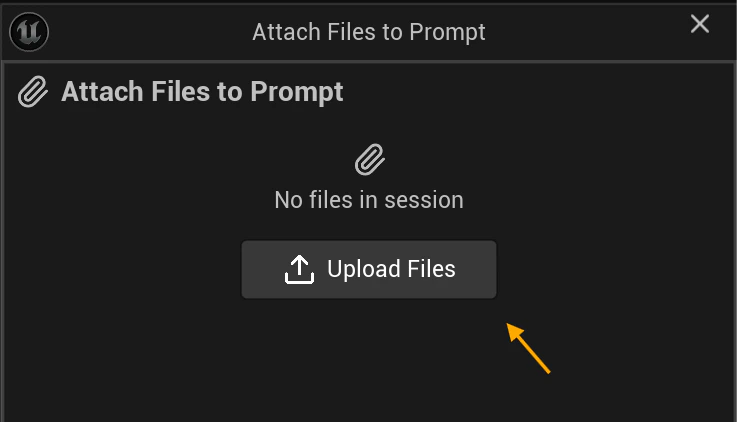 3. Use the checkbox next to each file to choose which files to attach to the chat.
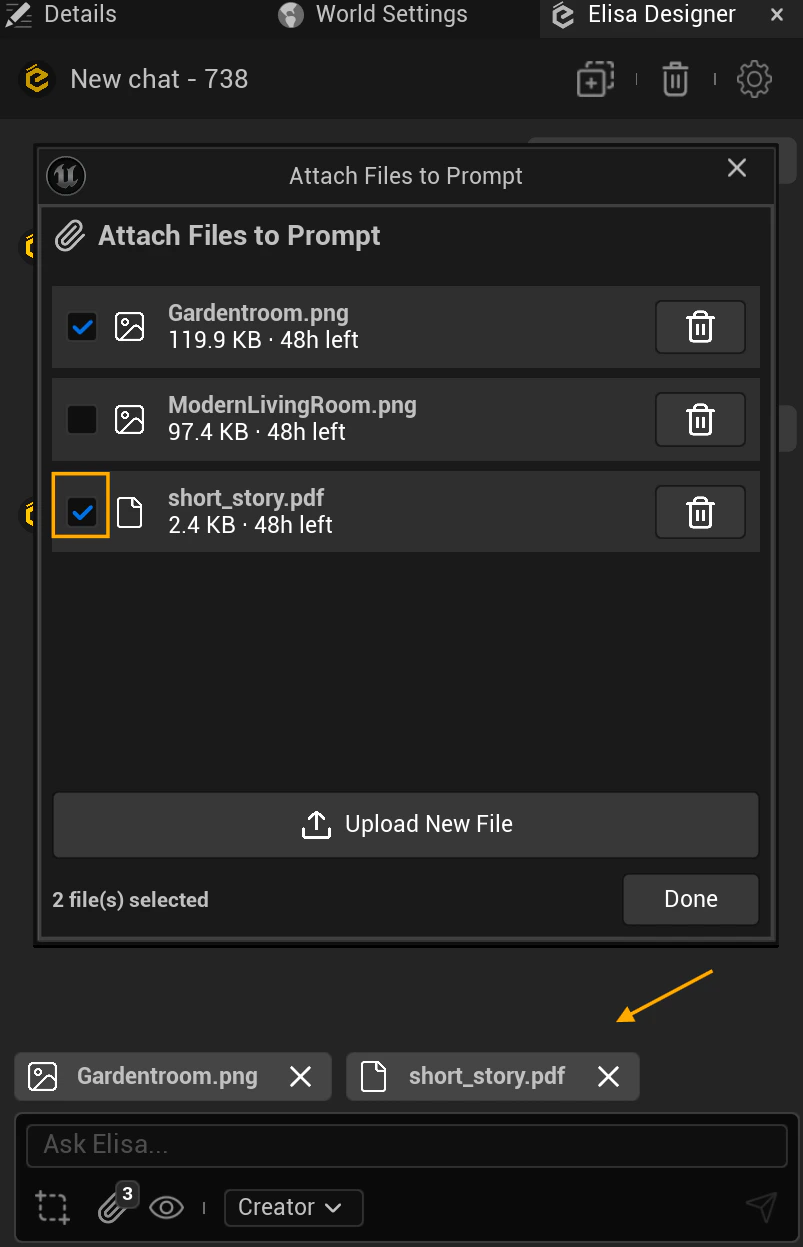 4. Click the **trash icon** to permanently delete a file from the cloud.
You can also remove files before sending a message by clicking the **X** on the file thumbnail.
### Supported file types
Elisa supports the following file formats:
* `.pdf`
* `.csv`
* `.json`
* `.txt`
* `.png`, `.jpg`, `.jpeg`, `.heic`, `.webp`
### File persistence and re-attaching
Uploaded files are **persisted** and can be reused across different chats. As long as a file is still available, you can re-attach it without uploading it again.
Each file displays its remaining availability in the attachment panel. You only need to upload a file again if it has expired or you deleted it.
4. Click the **trash icon** to permanently delete a file from the cloud.
You can also remove files before sending a message by clicking the **X** on the file thumbnail.
### Supported file types
Elisa supports the following file formats:
* `.pdf`
* `.csv`
* `.json`
* `.txt`
* `.png`, `.jpg`, `.jpeg`, `.heic`, `.webp`
### File persistence and re-attaching
Uploaded files are **persisted** and can be reused across different chats. As long as a file is still available, you can re-attach it without uploading it again.
Each file displays its remaining availability in the attachment panel. You only need to upload a file again if it has expired or you deleted it.